What Is Code Signing & Why Does It Matter?
Apple and Microsoft both want to ensure that the apps running on their operating systems are safe and free of viruses. To achieve this, they use a process called code signing, which:
- Verifies your identity
- Scans your code for viruses
- After confirming that the code is safe, signs it with a certificate that tells the OS the app is safe to run
What happens if I skip code signing?
macOS
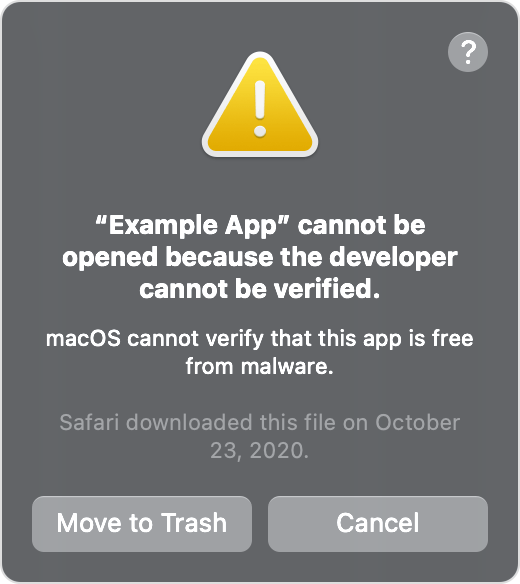
Users will not be able to install your app. macOS displays a message stating that the app cannot be opened because the developer cannot be verified.
Windows
Users can install your app, but they will see a Windows Defender SmartScreen pop-up saying Windows protected your PC. To proceed, they must:
- Click More info on the warning dialog.
- Click Run anyway to continue the installation.
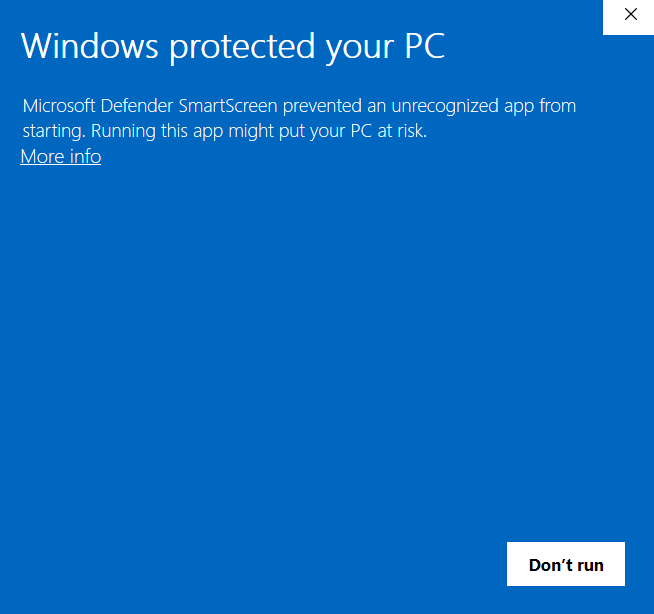
This deters less-technical users and reduces installations.
Linux
Code signing is not required. Users can install and run your app without any security warnings.
When you build with npm run package and install it on the same machine, security warnings do not appear.
However, these warnings will definitely appear when users download and run your unsigned installer on their own computers.
Can one certificate sign many apps?
Yes. A single certificate can sign an unlimited number of installers, which is great if you have multiple projects.