Carrier Lookup API
Carrier Lookup API
TLDR
- Get carrier name, line type (mobile/landline/VoIP), and formatting details for any phone number via API.
- 200 free queries per month.
Here's a sample response:
{
  "is_valid_number": true,
  "line_type": "mobile",
  "carrier": "Verizon Wireless",
  "phone_number": "+12128148373",
  "national_format": "(212) 814-8373",
  "country_code": "US",
  "calling_country_code": "1",
  "mobile_country_code": "310",
  "mobile_network_code": "012"
}
❓ What is this?
A REST API that identifies the carrier and line type for any phone number worldwide. Send a phone number, get back carrier name, line type (mobile, landline, or VoIP), and number formatting details—all in clean JSON.
Perfect for SMS delivery optimization, fraud prevention, user verification, or any app that needs to know who owns a phone number.
❓ Why use it?
1. Generous Free Plan
200 queries per month. Free. No credit card required.
That's 200 carrier lookups every month at no cost. Build and test your phone verification system without upfront costs.
2. Affordable Pricing
Most carrier lookup APIs charge a premium.
Our plans are simple and predictable:
- Free: $0 for 200 requests/month
- Starter: $16 for 1600 requests/month
- Grow: $48 for 4800 requests/month
- Scale: $148 for 14,800 requests/month
3. 99.99% Uptime SLA
Phone verification needs to work every time. A failed lookup means a blocked signup or a missed fraud check.
We maintain a 99.99% uptime SLA. Your verification flow never breaks because of us.
❓ How to use it?
Simple REST API. Here's how it works:
-
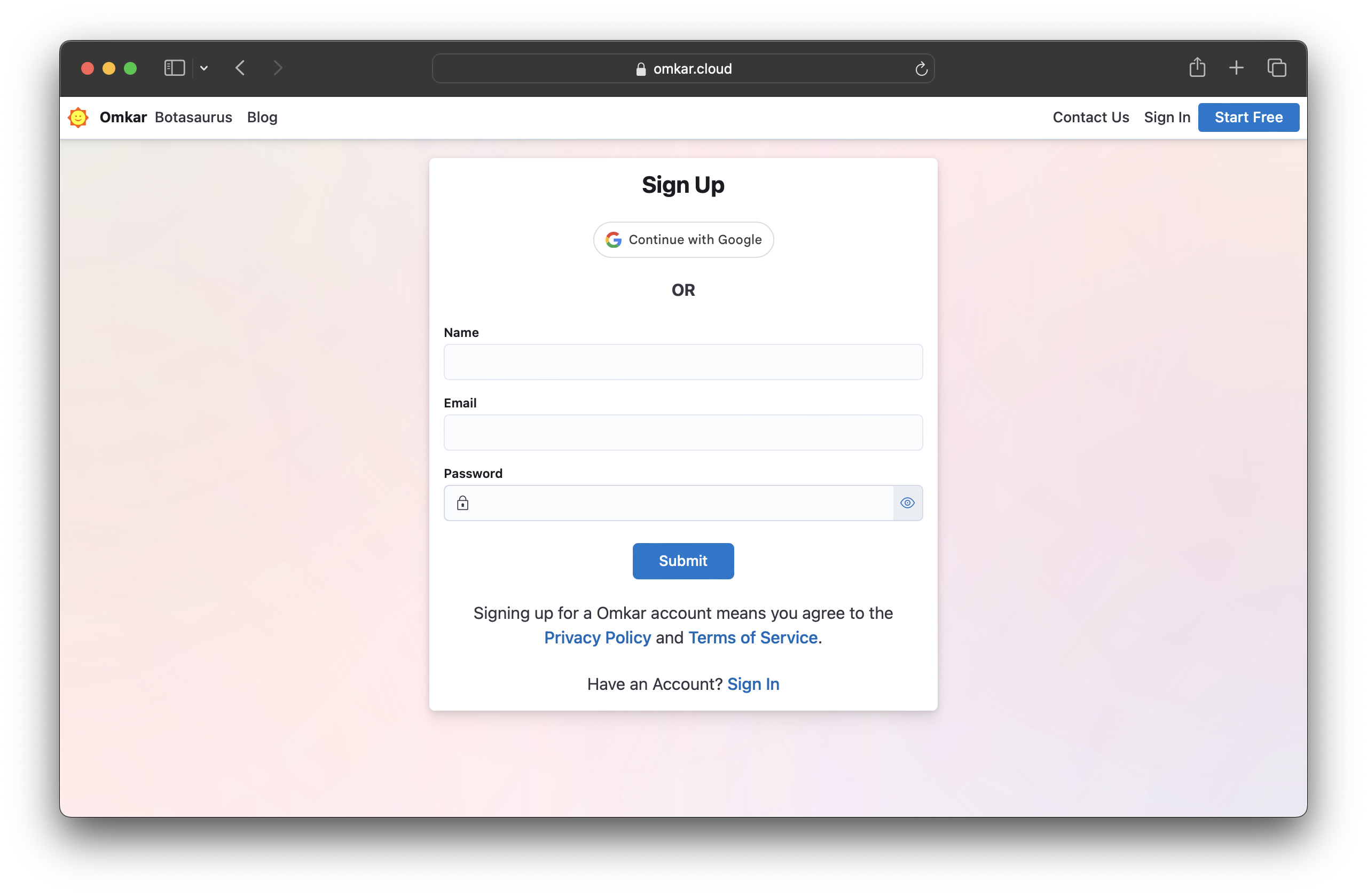
Sign up on Omkar Cloud by visiting this link.
-
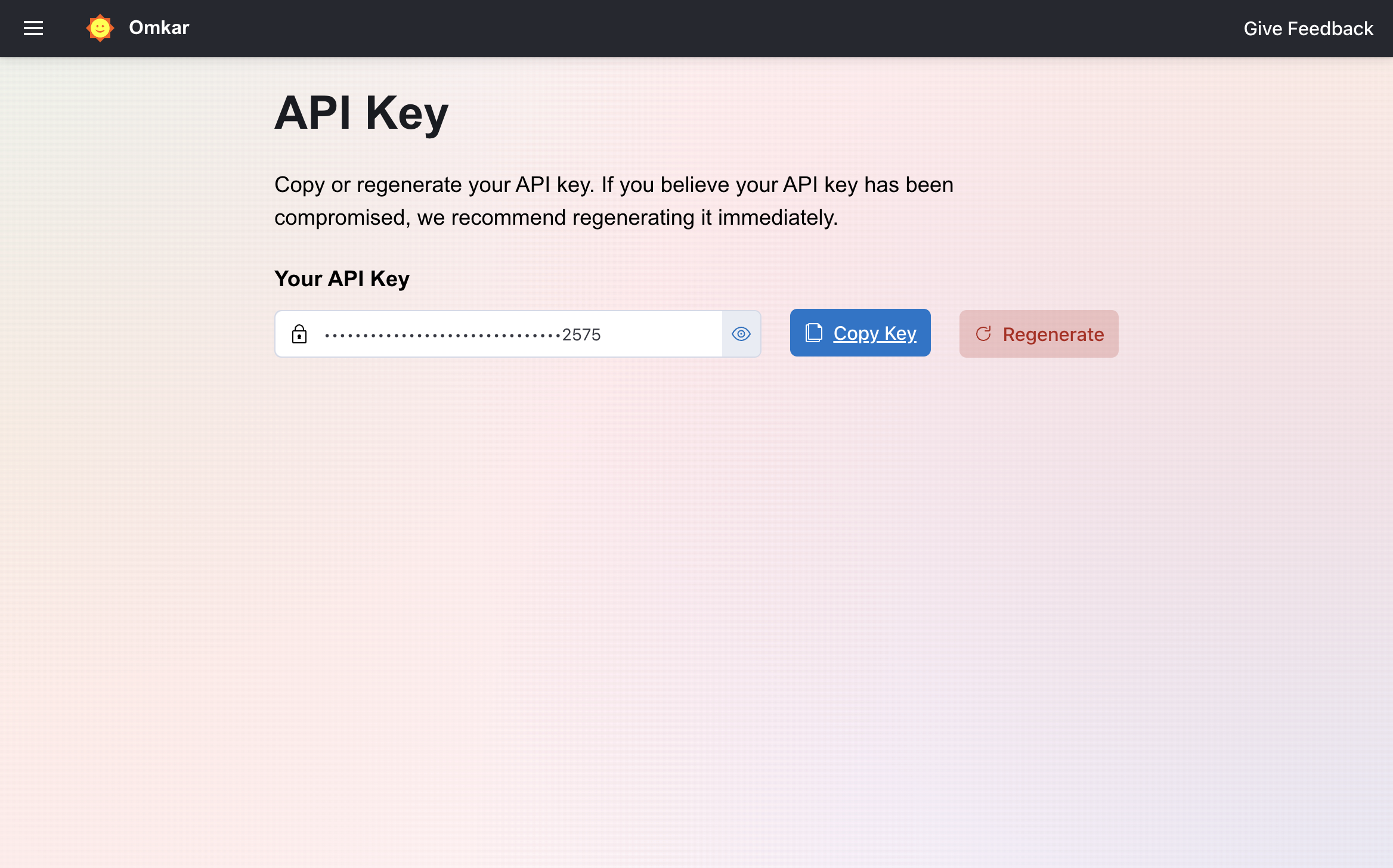
Visit the API Key Page.
-
Copy your API key.
-
Make a request with it:
cURL:
curl -X GET "https://carrier-lookup-api.omkar.cloud/lookup?phone=%2B14082292600" \
  -H "API-Key: YOUR_API_KEY"
Python:
import requests

phone = "+14082292600"
api_key = "YOUR_API_KEY"

response = requests.get(
    "https://carrier-lookup-api.omkar.cloud/lookup",
    params={"phone": phone},
    headers={"API-Key": api_key}
)
print(response.json())
JavaScript (Node.js axios):
import axios from "axios";

const phone = "+14082292600";
const apiKey = "YOUR_API_KEY";

const response = await axios.get("https://carrier-lookup-api.omkar.cloud/lookup", {
    params: { phone },
    headers: { "API-Key": apiKey }
});
console.log(response.data);- Get carrier data and use it.
That's it. Phone number to carrier info in milliseconds.
API Reference
Endpoint
GET https://carrier-lookup-api.omkar.cloud/lookup
Parameters
- phone (required, string):
The phone number to look up. Include country code. Example:+14082292600.
Response
Returns carrier details, line type, and number formatting:
{
  "is_valid_number": true,
  "line_type": "mobile",
  "carrier": "Verizon Wireless",
  "phone_number": "+12128148373",
  "national_format": "(212) 814-8373",
  "country_code": "US",
  "calling_country_code": "1",
  "mobile_country_code": "310",
  "mobile_network_code": "012"
}
❓ What data does the API return?
You get:
- is_valid_number — Whether the phone number is valid (
true/false) - line_type — The type of phone line:
mobile,landline, orvoip - carrier — The carrier name (e.g., "Verizon Wireless", "AT&T", "T-Mobile")
- phone_number — The number in E.164 international format
- national_format — The number formatted for local use (e.g., "(212) 814-8373")
- country_code — ISO country code (e.g., "US", "JP", "IN")
- calling_country_code — The country dialing code (e.g., "1" for US)
- mobile_country_code — MCC identifying the country of the mobile network
- mobile_network_code — MNC identifying the specific carrier
All in structured JSON. Ready to use in your app.
❓ How accurate is the data?
The API queries real-time telecom databases to identify carriers and line types.
This is the same data source used by SMS gateways and telecom companies for routing decisions. You get production-grade accuracy.
❓ Can I detect VoIP/landline/mobile numbers?
Yes. The line_type field tells you exactly what kind of number it is:
- mobile — Cell phone number
- landline — Traditional fixed-line number
- voip — Voice over IP number (Google Voice, Skype, etc.)
This is critical for SMS delivery. You can't send SMS to a landline. Filter those out before you send and save money on failed messages.
❓ What are common use cases?
SMS Delivery Optimization — Check if a number is mobile before sending SMS. Skip landlines and VoIP numbers to cut failed delivery costs.
Fraud Prevention — Flag VoIP numbers during signup. Fraudsters often use disposable VoIP numbers to create fake accounts.
User Verification — Confirm a phone number is valid and identify the carrier before sending OTP codes.
Data Enrichment — Add carrier and line type data to your customer database for better segmentation and analytics.
❓ Do you support international phone numbers?
Yes—send the number in E.164 format (a + followed by country code and the 10 digit number).
Example: +447911123456, +14082292600, +919999999999.
❓ Tell me about Omkar Cloud.
We're an API services company with 20+ tools for OCR, document processing, and developer APIs. Some things we are proud of:
- We built Botasaurus, an open-source Python framework with 3.7K+ GitHub stars
- Sponsored by 1000+ developers on GitHub
❓ How much does it cost?
- Free: $0 for 200 requests/month
- Starter: $16 for 1600 requests/month
- Grow: $48 for 4800 requests/month
- Scale: $148 for 14,800 requests/month
Why we're affordable: Low overhead. We run lean and pass the savings to you.
Note: You get 200 free queries every month.
❓ How do I get a refund?
If the product doesn't meet your needs within 90 days, get a refund in 2 clicks.
-
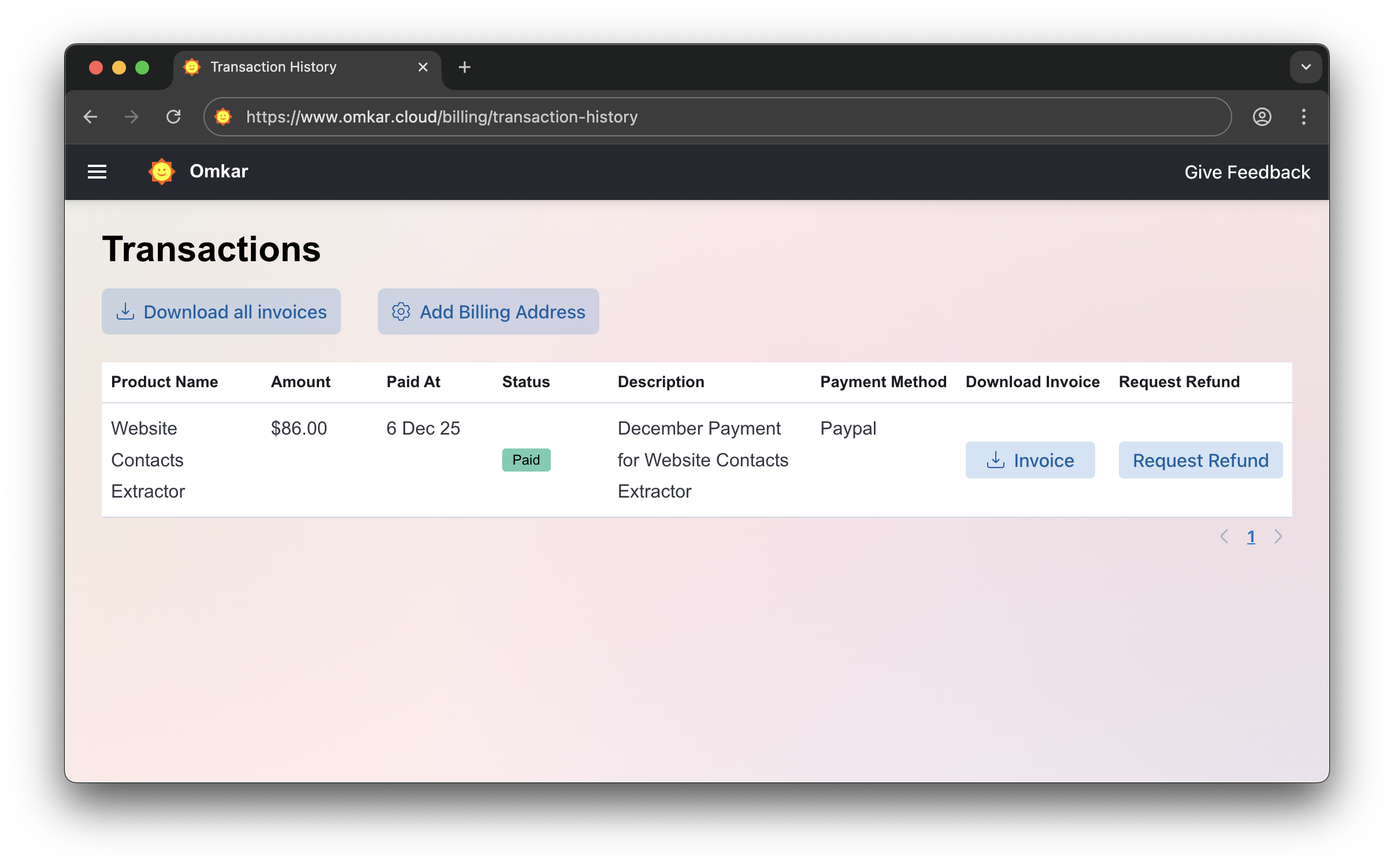
Go to Transactions Page
-
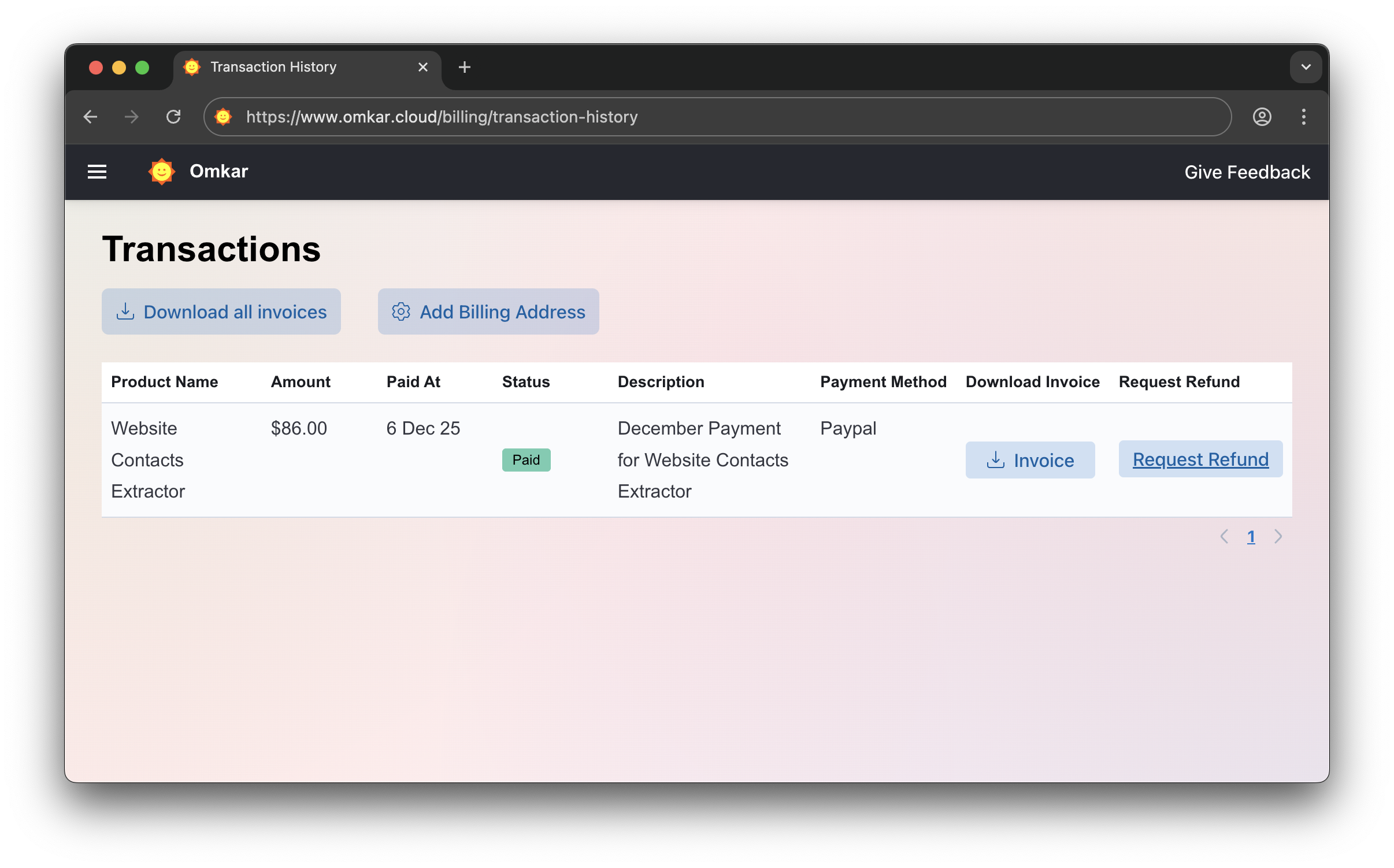
Click "Request Refund"
-
Confirm by clicking Request Refund again. The amount will be refunded within 1-2 business days. We'll email you updates.
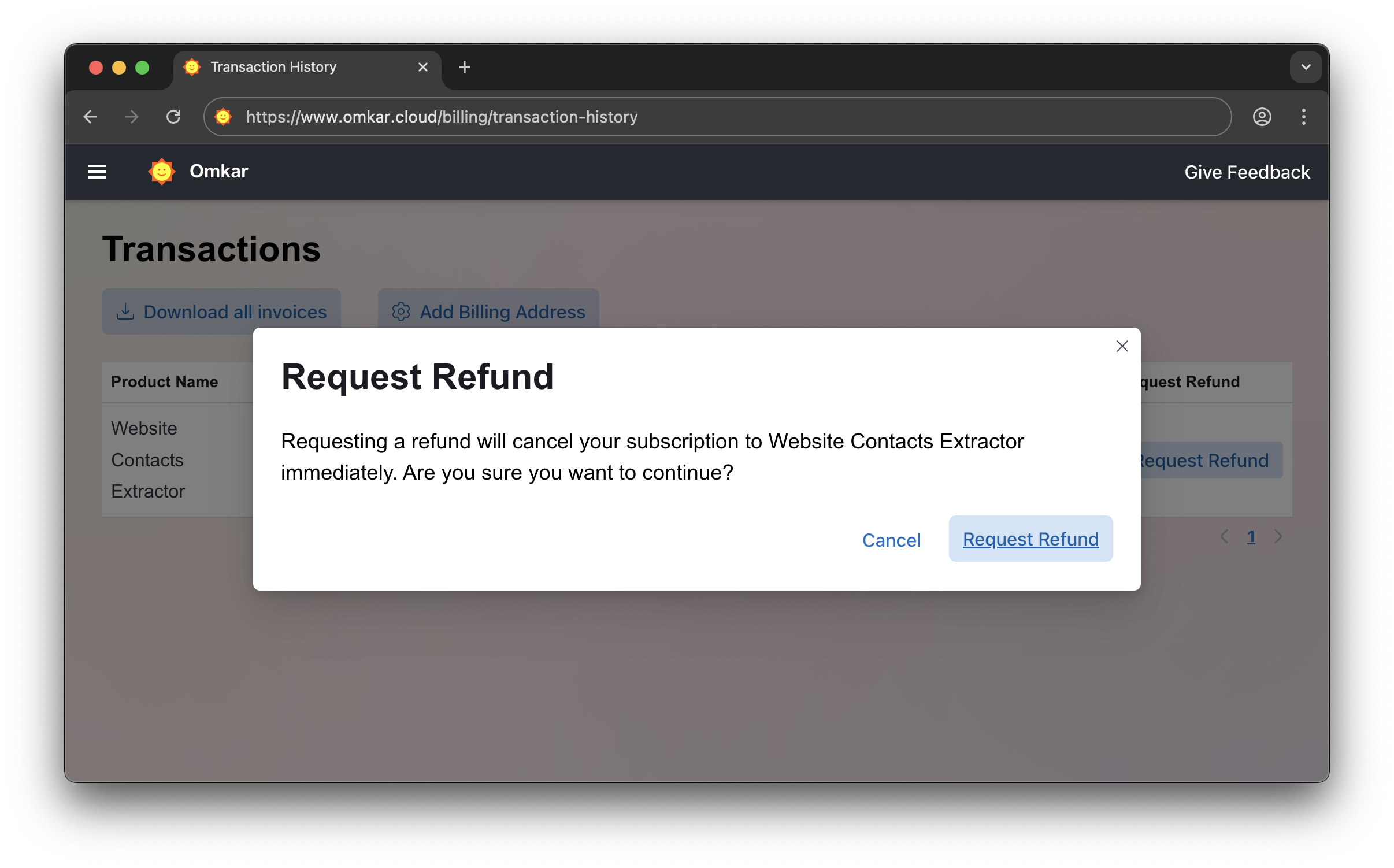
No emails. No explanations. Simple 2-click process.
❓ Is there a catch in refunds?
No catch.
It's a simple 2-click process, exactly as described above.
Questions? We have answers.
Reach out anytime. We will solve your query within 1 working day.