Nominatim API
Nominatim API
TLDR
- Geocode any city name to coordinates, bounding box, and full GeoJSON boundary polygon — one simple API call.
- 100 free queries per month.
Here's a sample response for geocoding a city:
{
  "place_id": 419365556,
  "licence": "Data © OpenStreetMap contributors, ODbL 1.0. http://osm.org/copyright",
  "osm_type": "relation",
  "osm_id": 207359,
  "class": "boundary",
  "type": "administrative",
  "place_rank": 16,
  "importance": 0.8410828881088647,
  "addresstype": "city",
  "name": "Los Angeles",
  "display_name": "Los Angeles, Los Angeles County, California, United States",
  "boundingbox": [
    "33.6595410",
    "34.3373060",
    "-118.6681798",
    "-118.1552983"
  ],
  "geojson": {
    "type": "Polygon",
    "coordinates": [
      [
        [-118.6681798, 34.1849312],
        [-118.6681702, 34.1767647],
        [-118.6586162, 34.1767595],
        [-118.6586436, 34.1694539],
        [-118.6681798, 34.1849312]
      ]
    ]
  },
  "center_point": {
    "latitude": 34.0536909,
    "longitude": -118.242766
  }
}
What is this?
The Nominatim API geocodes city names into structured geographic data — coordinates, bounding boxes, and full GeoJSON boundary polygons.
Pass a city name. Get back the center point, the bounding box, and the exact city boundary as a GeoJSON polygon. All as clean, structured JSON.
Perfect for geofencing, mapping apps, location-based search, delivery zone setup, city boundary visualization, or any app that needs to turn a city name into a shape on a map.
Why use it?
1. Detailed Data with 100% Accuracy
Get complete geocoding data in real time. Center coordinates, bounding box, full GeoJSON boundary polygon, OSM metadata — all pulled live from OpenStreetMap.
Every response includes the actual city boundary polygon, not just a pin on the map. Draw the exact shape of any city on a map with one API call.
2. Free Plan
100 queries per month. Free. No credit card required.
3. Affordable Pricing
When you need more, our paid plans cost less than alternatives:
- $16 gets you 3K queries/month
- $48 gets you 15K queries/month
- $148 gets you 75K queries/month
How to use it?
Simple REST API. Here's how it works:
- Create an account at omkar.cloud to get your API key.
It takes just 2 minutes to sign up. You get 100 free requests every month for city geocoding.
This is a well built product, and your search for the best Geocoding API with GeoJSON boundaries ends right here.
- Make a request with it:
cURL:
curl -X GET "https://nominatim-api.omkar.cloud/nominatim/geocode?city=San%20Francisco&state=California&country_code=us" \
  -H "API-Key: YOUR_API_KEY"
Python:
import requests

api_key = "YOUR_API_KEY"

response = requests.get(
    "https://nominatim-api.omkar.cloud/nominatim/geocode",
    params={"city": "San Francisco", "state": "California", "country_code": "us"},
    headers={"API-Key": api_key}
)
print(response.json())- Get structured geocoding data and use it.
That's it. City name to GeoJSON polygon in milliseconds.
API Reference
City Geocode
GET https://nominatim-api.omkar.cloud/nominatim/geocode
city(required) — City name to geocode.state(optional) — State or province name for disambiguation.country_code(optional) — ISO 3166-1 alpha-2 country code (e.g.,us,jp,gb).
Example:
import requests

response = requests.get(
    "https://nominatim-api.omkar.cloud/nominatim/geocode",
    params={"city": "Los Angeles"},
    headers={"API-Key": "YOUR_API_KEY"}
)

print(response.json())
Sample Response:
{
  "place_id": 419365556,
  "licence": "Data © OpenStreetMap contributors, ODbL 1.0. http://osm.org/copyright",
  "osm_type": "relation",
  "osm_id": 207359,
  "class": "boundary",
  "type": "administrative",
  "place_rank": 16,
  "importance": 0.8410828881088647,
  "addresstype": "city",
  "name": "Los Angeles",
  "display_name": "Los Angeles, Los Angeles County, California, United States",
  "boundingbox": [
    "33.6595410",
    "34.3373060",
    "-118.6681798",
    "-118.1552983"
  ],
  "geojson": {
    "type": "Polygon",
    "coordinates": [
      [
        [-118.6681798, 34.1849312],
        [-118.6681702, 34.1767647],
        [-118.6586162, 34.1767595],
        [-118.6586436, 34.1694539],
        [-118.6681798, 34.1849312]
      ]
    ]
  },
  "center_point": {
    "latitude": 34.0536909,
    "longitude": -118.242766
  }
}
FAQs
❓ What data does the API return?
City Geocode returns per city:
- Place ID, OSM type, and OSM ID
- Address type and place rank
- City name and full display name (city, county, state, country)
- Bounding box (south, north, west, east coordinates)
- Full GeoJSON boundary polygon with exact city boundaries
- Center point coordinates (latitude, longitude)
- Importance score from OpenStreetMap
All in structured JSON. Ready to plot on a map or use in your app.
❓ How accurate is the data?
Data is sourced from OpenStreetMap via Nominatim.
City boundaries, coordinates, and bounding boxes reflect the latest OpenStreetMap data. OSM is maintained by a global community of mappers and is the same data source used by Apple Maps, Facebook, and thousands of other services.
❓ Why should I use this instead of official Nominatim API?
The official Nominatim API enforces a strict rate limit of 1 request per second. That's fine for a quick test, but it becomes a bottleneck fast when you're building a real product, with unpredictable usage demands.
With our API, you get high-throughput access without worrying about rate limits.
❓ What's the difference between center point and bounding box?
Center point gives you a single latitude/longitude coordinate for the city center. Good for placing a marker on a map.
Bounding box gives you the rectangular extent of the city — south, north, west, east edges. Good for setting map zoom levels or filtering locations within a region.
GeoJSON polygon gives you the actual city boundary shape. Good for geofencing, delivery zones, or drawing the exact city outline on a map.
❓ Can I geocode cities from any country?
Yes. Pass any city name and optionally a country_code (2-letter ISO code) to disambiguate.
Works worldwide — US cities, European cities, Asian cities, everywhere OpenStreetMap has data. That's essentially every city on Earth.
❓ What if there are multiple cities with the same name?
Use state and country_code to disambiguate. For example, "Portland" exists in both Oregon State and Maine State.
city=Portland&state=Oregon&country_code=us— gets Portland, Oregon State, UScity=Portland&state=Maine&country_code=us— gets Portland, Maine State, US
Without disambiguation, the API returns the most prominent result.
❓ Tell me about Omkar Cloud.
We're an API services company with 20+ tools for OCR, document processing, and developer APIs. Some things we are proud of:
- We built Botasaurus, an open-source framework with 3.7K+ GitHub stars
- Sponsored by 1000+ developers on GitHub
❓ How much does it cost?
- Free — $0 — 100 queries/month
- Starter — $16 — 3,000 queries/month
- Grow — $48 — 15,000 queries/month
- Scale — $148 — 75,000 queries/month
Why we're affordable: Low overhead. We run lean and pass the savings to you.
Note: You get 100 free queries every month.
❓ How do I get a refund?
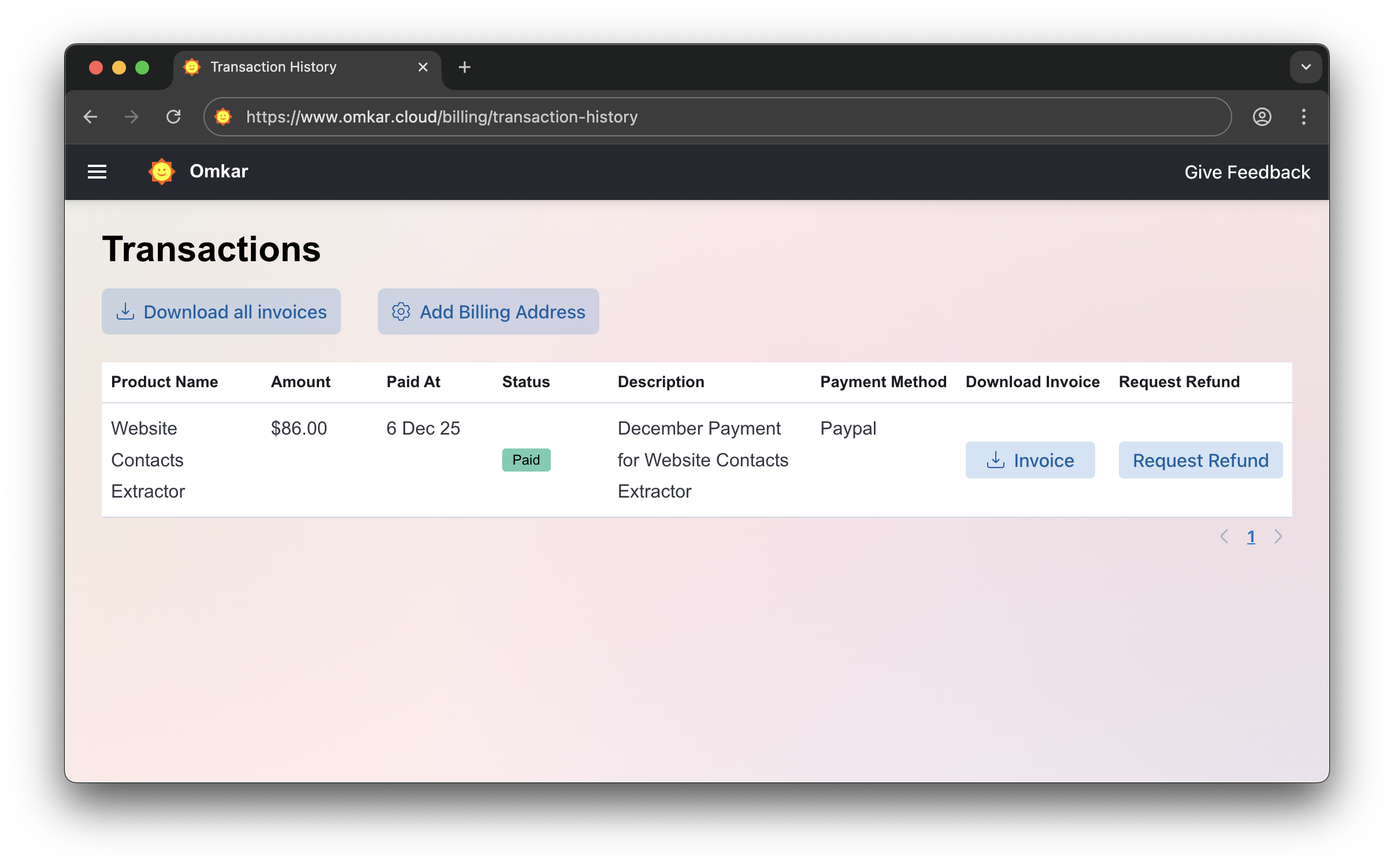
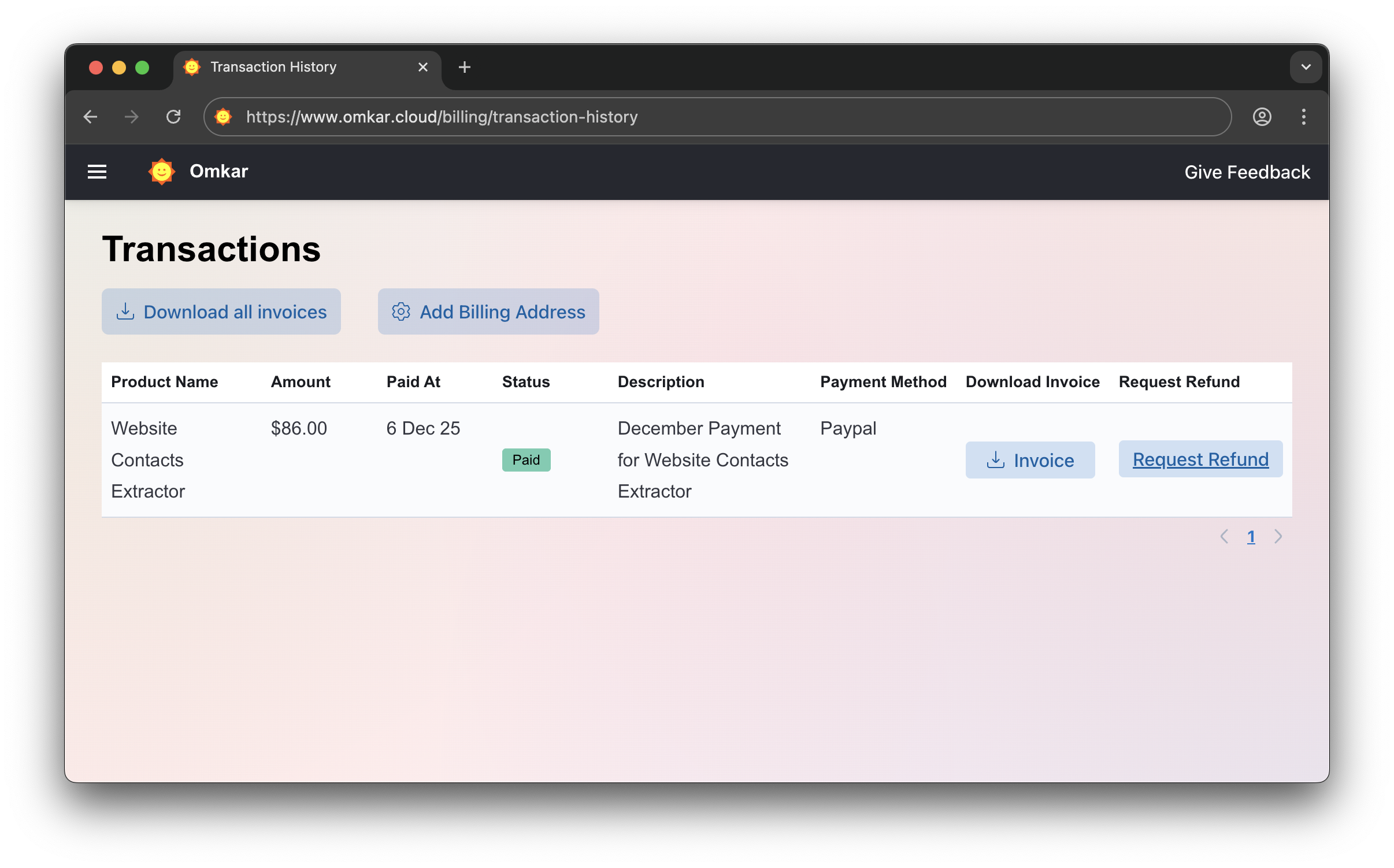
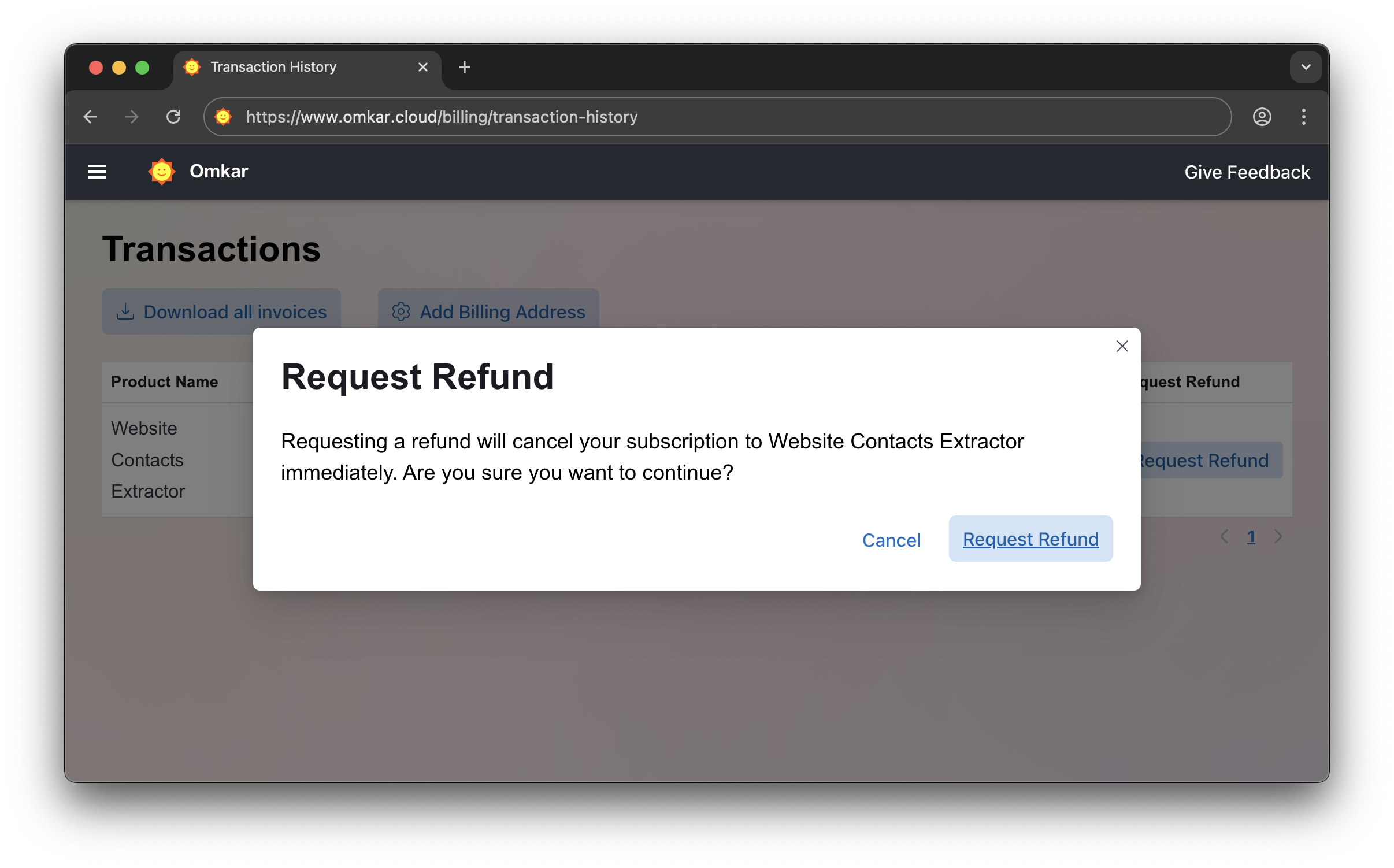
If the product doesn't meet your needs within 90 days, get a refund in 2 clicks.
-
Go to Transactions Page
-
Click "Request Refund"
-
Confirm by clicking Request Refund again. The amount will be refunded within 1-2 business days. We'll email you updates.
No emails. No explanations. Simple 2-click process.
❓ Is there a catch in refunds?
No catch.
It's a simple 2-click process, exactly as described above.
Questions? We have answers.
Reach out anytime. We will solve your query within 1 working day.