Face Detection API
Face Detection API
TLDR
- Upload any JPEG or PNG image and get back every detected face with bounding boxes and five facial landmark coordinates.
- 100 free queries per month.
Here's a sample response:
{
  "image_width": 612,
  "image_height": 408,
  "total_faces": 2,
  "faces": [
    {
      "confidence": 0.9991222023963928,
      "bounding_box": {
        "origin_x": 0.7696828591947755,
        "origin_y": 0.07557892352342604,
        "span_width": 0.18395689328511555,
        "span_height": 0.27593533992767333
      },
      "landmarks": {
        "left_eye": { "x": 0.8030567288398743, "y": 0.16781179904937743 },
        "right_eye": { "x": 0.889804744720459, "y": 0.15399449467658993 },
        "nose": { "x": 0.8354169130325317, "y": 0.18160911798477172 },
        "mouth_left": { "x": 0.8082399487495423, "y": 0.26384876668453217 },
        "mouth_right": { "x": 0.886027567088604, "y": 0.25258797258138654 }
      }
    },
    ...
  ]
}
What is this?
The Face Detection API finds every human face in an image and returns precise bounding boxes with five facial landmark coordinates — left eye, right eye, nose, and both mouth corners.
Upload a JPEG or PNG, get structured JSON back. All coordinates are normalized (0–1), so they work with any image resolution.
Perfect for face-aware cropping, photo moderation, identity verification pipelines, AR face filters, or any app that needs to know where faces are in an image.
Why use it?
1. Detailed Data with 100% Accuracy
Deep-learning powered detection that finds every face in the image — single portraits to crowded group shots. Each face comes with a confidence score, a normalized bounding box, and five key landmark points.
No manual tuning. No threshold guessing. Upload the image, get the faces.
2. Free Plan
100 queries per month. Free. No credit card required.
3. Affordable Pricing
When you need more, our paid plans cost less than alternatives:
- $16 gets you 3K queries/month
- $48 gets you 15K queries/month
- $148 gets you 75K queries/month
How to use it?
Simple REST API. Here's how it works:
- Create an account at omkar.cloud to get your API key.
It takes just 2 minutes to sign up. You get 100 free requests every month for face detection.
This is a well built product, and your search for the best Face Detection API ends right here.
- Make a request with it:
cURL:
curl -X POST "https://face-detection-api.omkar.cloud/face/analyze" \
  -H "API-Key: YOUR_API_KEY" \
  -F "image=@photo.jpg"
Python:
import requests

api_key = "YOUR_API_KEY"

response = requests.post(
    "https://face-detection-api.omkar.cloud/face/analyze",
    headers={"API-Key": api_key},
    files={"image": open("photo.jpg", "rb")}
)
print(response.json())- Get structured face data and use it.
That's it. Image to face coordinates in seconds.
API Reference
Face & Landmark Detection
POST https://face-detection-api.omkar.cloud/face/analyze
image(required) — JPEG or PNG image file, sent as multipart form-data. Max 16 MB.
Example:
import requests

response = requests.post(
    "https://face-detection-api.omkar.cloud/face/analyze",
    headers={"API-Key": "YOUR_API_KEY"},
    files={"image": open("photo.jpg", "rb")}
)

print(response.json())
Sample Response:
{
  "image_width": 612,
  "image_height": 408,
  "total_faces": 2,
  "faces": [
    {
      "confidence": 0.9991222023963928,
      "bounding_box": {
        "origin_x": 0.7696828591947755,
        "origin_y": 0.07557892352342604,
        "span_width": 0.18395689328511555,
        "span_height": 0.27593533992767333
      },
      "landmarks": {
        "left_eye": { "x": 0.8030567288398743, "y": 0.16781179904937743 },
        "right_eye": { "x": 0.889804744720459, "y": 0.15399449467658993 },
        "nose": { "x": 0.8354169130325317, "y": 0.18160911798477172 },
        "mouth_left": { "x": 0.8082399487495423, "y": 0.26384876668453217 },
        "mouth_right": { "x": 0.886027567088604, "y": 0.25258797258138654 }
      }
    },
    {
      "confidence": 0.9932157397270203,
      "bounding_box": {
        "origin_x": 0.47802788168191923,
        "origin_y": 0.1437148481607437,
        "span_width": 0.23806619644165045,
        "span_height": 0.35709929466247564
      },
      "landmarks": {
        "left_eye": { "x": 0.5511994868516922, "y": 0.25441014766693115 },
        "right_eye": { "x": 0.6608513176441193, "y": 0.2665567696094513 },
        "nose": { "x": 0.608675591647625, "y": 0.3018725097179413 },
        "mouth_left": { "x": 0.5523210883140565, "y": 0.39049973487854 },
        "mouth_right": { "x": 0.6461554944515229, "y": 0.4011178731918335 }
      }
    }
  ]
}
FAQs
❓ What data does the API return?
Face & Landmark Detection returns per image:
- Image dimensions (
image_width,image_height) - Total number of faces detected (
total_faces)
Per face:
- Confidence score (0–1)
- Bounding box with origin coordinates and dimensions (
origin_x,origin_y,span_width,span_height) - Five facial landmarks:
left_eye,right_eye,nose,mouth_left,mouth_right— each with normalizedxandycoordinates
All coordinates are normalized between 0 and 1 relative to image dimensions. Multiply by image_width or image_height to get pixel values.
❓ How accurate is the data?
Deep learning model with over 99% confidence on clearly visible faces. Every API call runs inference in real time.
The model handles varied lighting, angles, and partial occlusions. Confidence scores tell you exactly how sure the model is about each detection.
❓ What image formats are supported?
JPEG and PNG. Max file size is 16 MB.
Upload the image as multipart form-data with the field name image. That's it.
❓ Are the coordinates in pixels?
No. All coordinates are normalized between 0 and 1. This makes them resolution-independent.
To convert to pixels, multiply x values by image_width and y values by image_height. For example, if left_eye.x is 0.803 and image_width is 612, the pixel position is 612 × 0.803 ≈ 491.
❓ Can it detect multiple faces?
Yes. The API detects every face in the image. A group photo with 10 people returns 10 face objects, each with its own bounding box, confidence score, and landmarks.
❓ What are the five landmarks?
- Left eye — center of the left eye
- Right eye — center of the right eye
- Nose — tip of the nose
- Mouth left — left corner of the mouth
- Mouth right — right corner of the mouth
These five points are enough for face alignment, gaze estimation, expression analysis, and face-aware cropping.
❓ Tell me about Omkar Cloud.
We're an API services company with 20+ tools for OCR, document processing, and developer APIs. Some things we are proud of:
- We built Botasaurus, an open-source framework with 3.7K+ GitHub stars
- Sponsored by 1000+ developers on GitHub
❓ How much does it cost?
- Free — $0 — 100 queries/month
- Starter — $16 — 3,000 queries/month
- Grow — $48 — 15,000 queries/month
- Scale — $148 — 75,000 queries/month
Why we're affordable: Low overhead. We run lean and pass the savings to you.
Note: You get 100 free queries every month.
❓ How do I get a refund?
If the product doesn't meet your needs within 90 days, get a refund in 2 clicks.
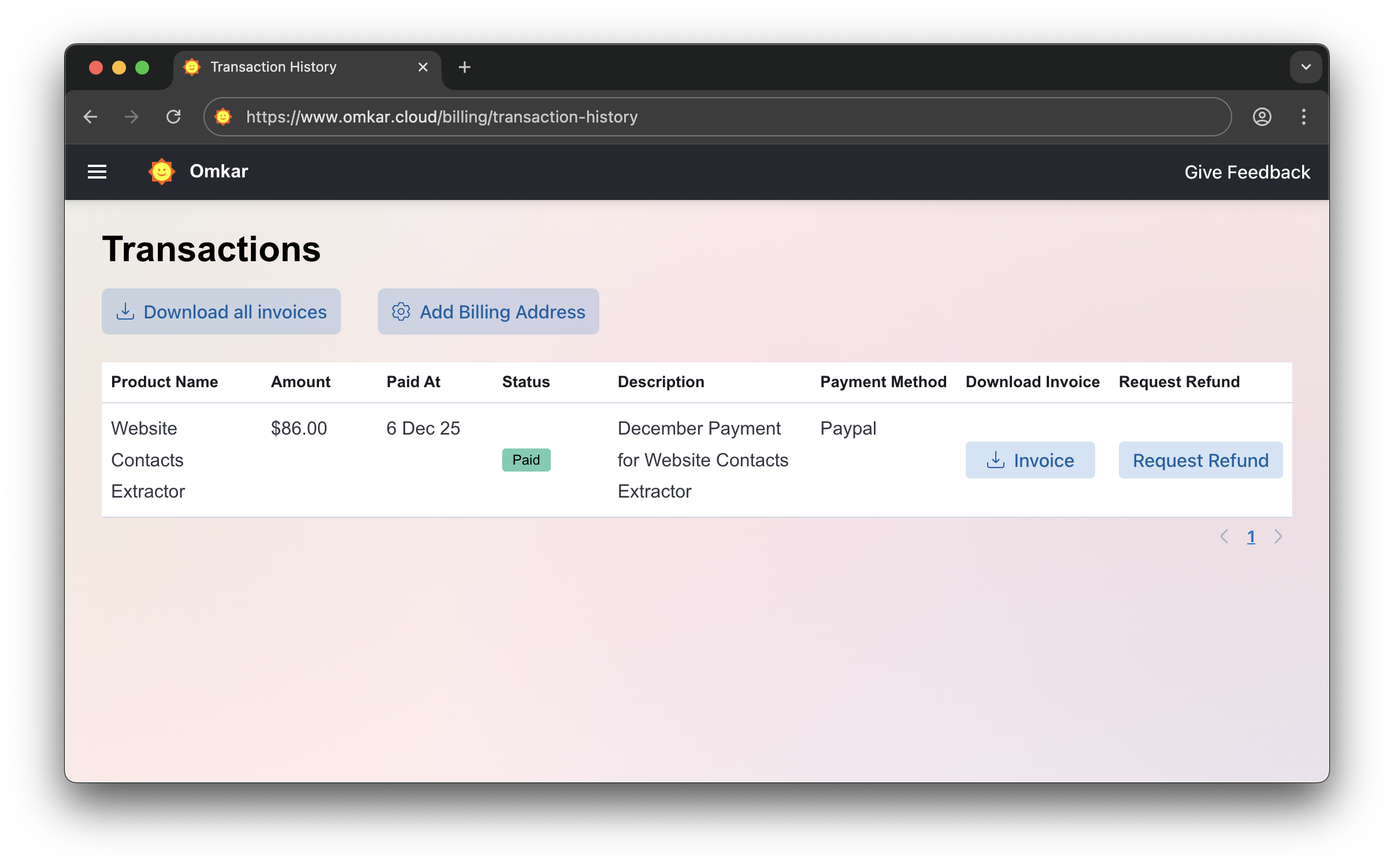
-
Go to Transactions Page
-
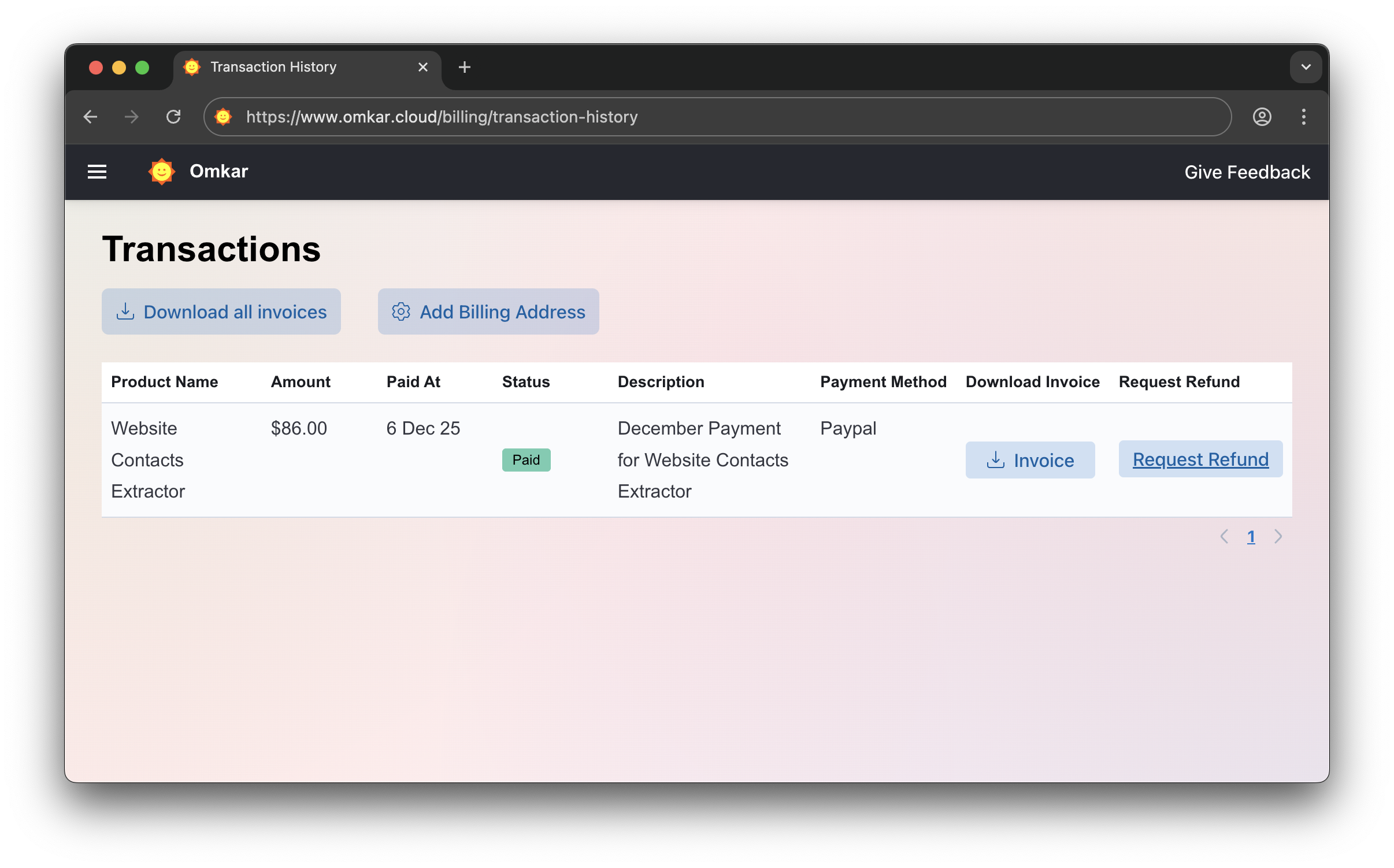
Click "Request Refund"
-
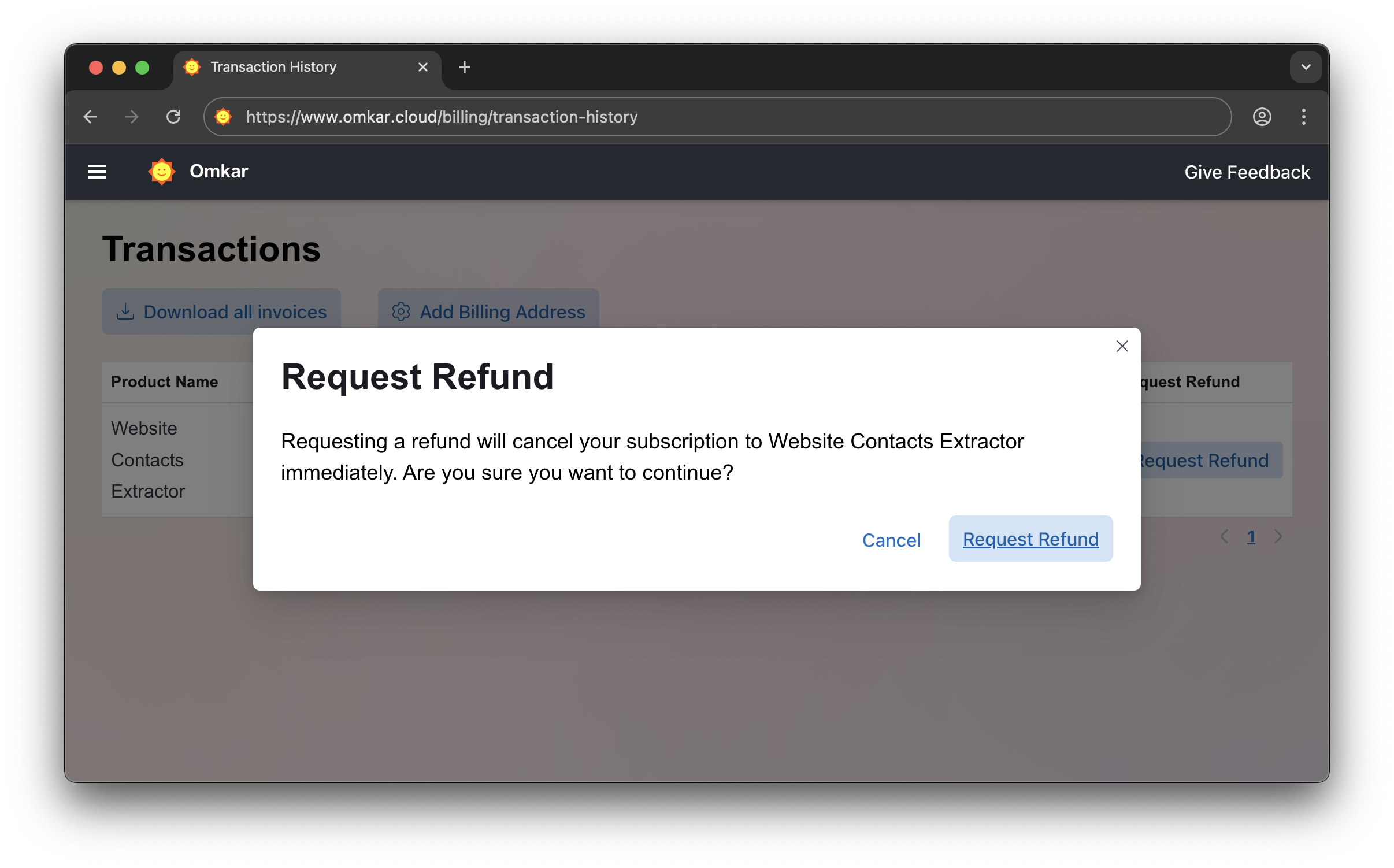
Confirm by clicking Request Refund again. The amount will be refunded within 1-2 business days. We'll email you updates.
No emails. No explanations. Simple 2-click process.
❓ Is there a catch in refunds?
No catch.
It's a simple 2-click process, exactly as described above.
Questions? We have answers.
Reach out anytime. We will solve your query within 1 working day.